Large aggregate reports crash chrome-pdf: chunk + parallel render + merge works for flat lists but breaks group subtotals and grand totals. What's the recommended pattern?
-
Hi jsreport team,
We use jsreport to render operational reports for a records-management system, and large
reports regularly crash or time out. We built a chunk-and-parallelize workaround that works
well for flat list reports, but it doesn't work for aggregate reports (grouped reports with
subtotals, summary/statistics reports, cross-tabs). Those still go to jsreport as a single
huge render and fail. We'd like to know the recommended architecture for this case.Environment
-
jsreport 4.11.0, Node.js [version], Windows Server [version], hosted under IIS / iisnode
-
Server: 8 GB RAM, 2 CPU cores
-
Client: .NET 10 API using the
jsreport.ClientNuGet package -
Recipe:
chrome-pdf, engine:handlebars(pluspdfOperationsmerge of a header template) -
Config (relevant part):
{
"templatingEngines": { "timeout": 1200000 },
"chrome": { "timeout": 1200000 },
"reportTimeout": 1200000,
"workers": { "numberOfWorkers": 6 },
"extensions": {
"scripts": { "timeout": 1200000 },
"express": { "inputRequestLimit": "200mb", "renderTimeout": 1200000 }
}
}
What fails
- Typical failing report: ~10k+ rows, ~1000 pages expected
- Playground reproduction with synthetic data: https://playground.jsreport.net/w/mdesaiATIMS/HgoUfkTW
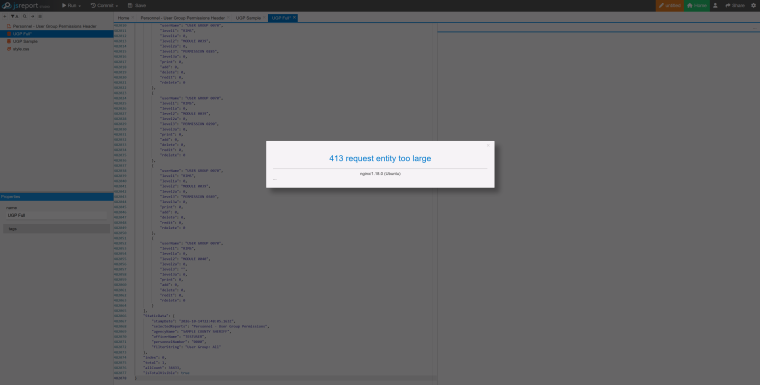
- It did not let me save the full data with 35k rows that crashed the container in production environment.
Our current workaround (works for flat lists)
A SQL stored procedure returns the whole dataset as a JSON array. The .NET API then:
- Splits the array into chunks of
rowsPerPage * pagesPerChunkrows - Sends every chunk to jsreport in parallel as separate render requests
- Adds paging metadata to each chunk so the template knows where it is:
- Merges the returned PDFs in .NET (PdfSharp) and stamps "Page X of Y" after the merge
This is fast and stable for flat roster or list reports.
Why it doesn't work for aggregate reports
- Group boundaries: chunks are cut by row count, so one group can be split across two chunks.
The group header repeats and each half prints its own partial subtotal. - Aggregates are per chunk: subtotals, counts and sums that are computed in Handlebars
helpers or in the template only see their own chunk's rows.{{Data.length}}-style totals
repeat in every chunk. This matches what was described in topic 1451 ("Report generation
takes too much time"), which ended without a solution. - Summary/statistics reports (counts by category x category, percentages of total) need
the full dataset to produce even one page, so we can't split them at all. They go as one
request with the whole JSON, and that is the request that crashes.
Questions
- What is the recommended way to render large grouped / summary / aggregate reports in
jsreport 4.x when the full dataset is too big for a single render, but the aggregates need
all of the data? - When a report is split into multiple renders and then merged, how should group subtotals
and grand totals that span chunks be handled? - How should memory and workers be sized for occasional very large renders (worker count,
per-worker limits, Chrome strategy vs. server RAM)? - When a client sends many render requests at the same time, how does jsreport handle them
beyondnumberOfWorkers, and should the client limit how many it sends at once? - Are there template, recipe or layout practices you recommend for very long (2,000+ page)
tabular PDFs with grouping and totals?
Related threads: topic 1451 (totals repeating across parallel chunks), topic 492
(reporting with a lot of data).Thanks for any guidance!
-
-
Chrome has real limits with very long tables — we can't remove them entirely, but we can push them out quite a bit.
It turns out one of the things Chrome hits first is accessibility tagging. Tagging a table with tens of thousands of cells blows up both the file size and Chrome's printing itself. This can be turned off, and I've pushed a tagged option to master; it will be in the next release.
You can already test it without upgrading — just add the following to the template
<script>
    window.JSREPORT_CHROME_PDF_OPTIONS = {
        tagged: false
    }
</script>
In our tests this took the same report from failing at ~1100 pages to rendering ~1300 pages, with the output roughly 30x smaller. Please try this first, it may be all you need.
On your summary/cross-tab reports: those shouldn't be affected by this limit at all. Chrome's problem is the number of pages, not the number of input rows — a report consuming 200k rows and printing 2 pages renders in well under a second here. If one of those crashes, it's a different issue and worth a separate thread with the error.
One more thing to check: numberOfWorkers: 6 on 2 cores and 8GB is quite high. Each worker can hold its own Chrome plus your dataset, so that alone could explain the container crash. I'd try 2.
If you still need chunking for the really long ones, it doesn't have to break your totals — the trick is to compute aggregates once over the full dataset before rendering, split on group boundaries rather than row counts, and pass the precomputed subtotals and grand total into every chunk. Happy to go through it on a minimal demo if you can prepare one.