Playground Reproduction: https://playground.jsreport.net/w/dfaivre/DugBMIlv
If I use an external font loaded as an asset:
@font-face {
        font-family: 'Montserrat-Regular';
        src: url({#asset /Montserrat-Regular.woff2 @encoding=dataURI});
        format('woff2');
}
and render to chrome-pdf then any unicode output characters are invalid (for both elements that use the custom font and elements that use the default font).
(Unicode input characters: €$£ áñè Среднее)
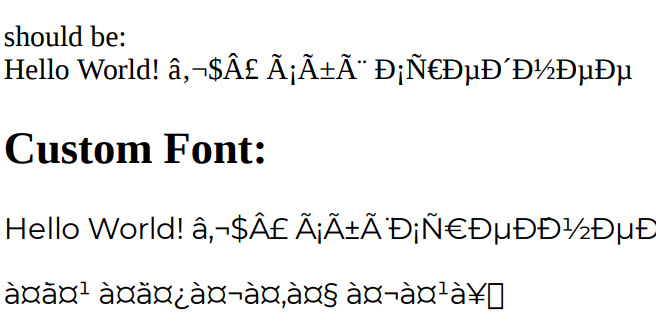
- If I render to
html-with-browser-clientthen it works. - If I render to
html-with-browser-clientin a new window then it doesn't work (same output aschrome-pdf) - If I remove the
@font-faceentirely and just use default, preview panel rendering works but "new window" rendering is still garbled.
Adding explicit utf-8 charset encoding to the template makes both chrome-pdf and new window html-with-browser-client work
<head>
<meta content="text/html; charset=utf-8" http-equiv="Content-Type" />
</head>
- If this is the only work around - is there a way to specify utf-8 encoding for all my templates, or does it need to be added to each template manually?
- Is there another way to load the custom font file?